Analog Key Control
Analog keyboards can detect more than just whether a key is pressed or released. They can also measure how far a key is pressed, allowing for more precise control and additional customization options.
With Analog Key Control, reWASD can use this analog data directly in your configs. You can switch between digital and analog behavior, customize actuation points, adjust Rapid Trigger settings, create multiple actions for a single key based on press depth, and use keyboard keys for analog movement.
Please note that Analog Key Control is an Advanced feature. It is not available in reWASD Basic and is not included with legacy licenses.
What can you do with Analog Key Control?
Analog Key Control gives you more control over how individual keys behave.
With this feature, you can:
- Use a key as a digital or analog input
- Configure custom actuation points
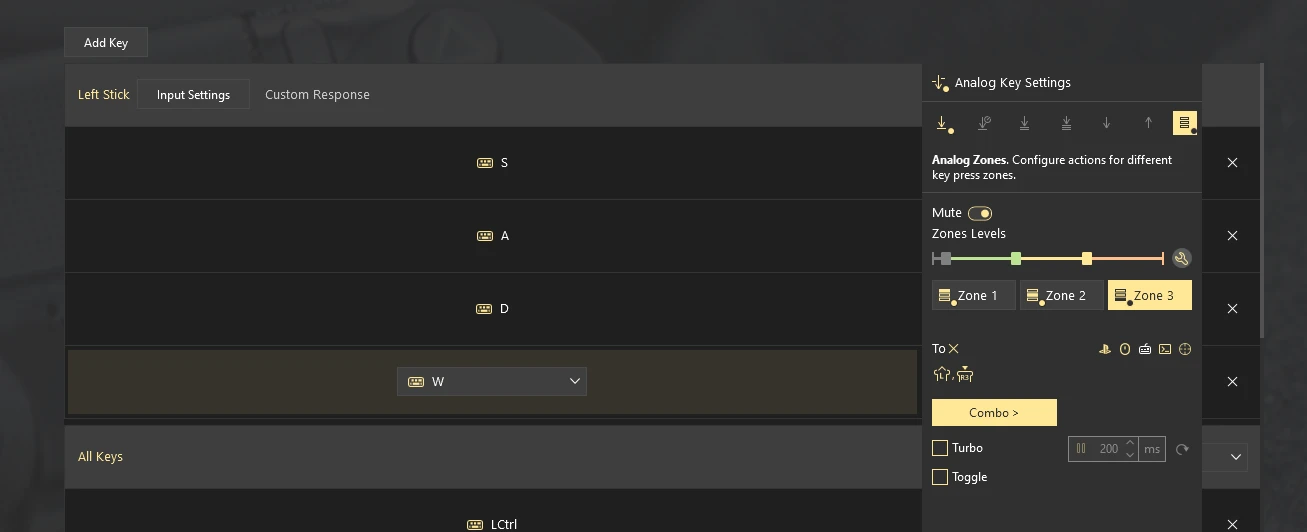
- Set 3 different keypress zones
- Adjust rapid trigger sensitivity
- Assign different actions to different press depths
- Turn keyboard movement keys into analog movement controls
For example, a light press can perform one action, while a deeper press can trigger another. You can also use analog keyboard keys to create smoother character movement in games that support controller analog sticks.
How to open Analog Key Control
- Connect a supported analog keyboard.
- Launch reWASD.
- Select your keyboard in the device panel.
- Choose the key you want to customize.
- Open the Analog Key Settings.
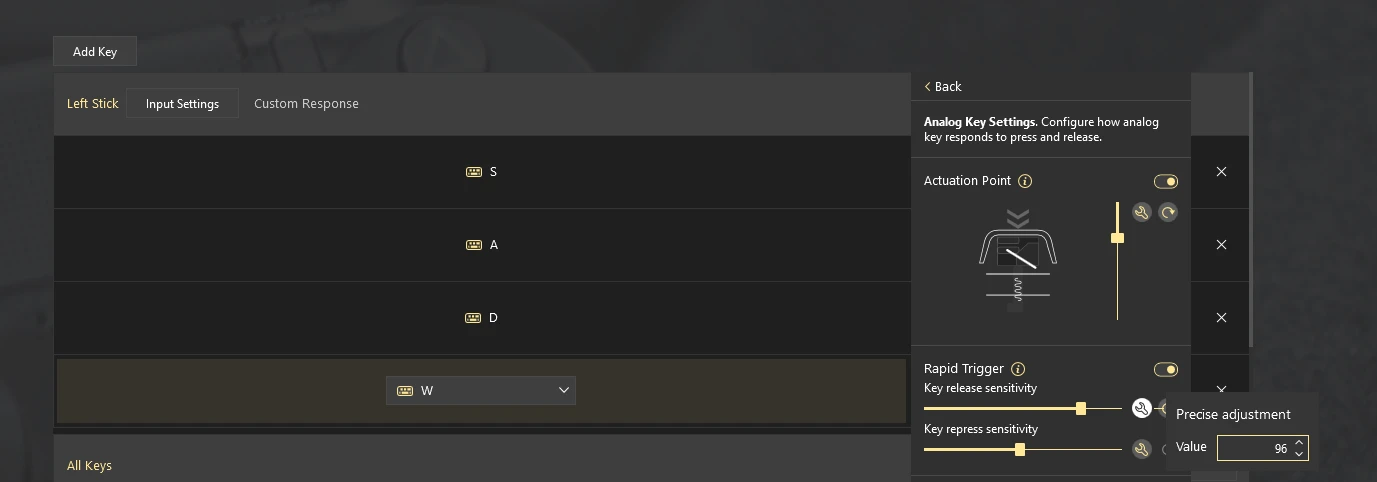
The available options depend on the selected output type and the capabilities of your keyboard.
Digital and Analog modes
Analog Key Control allows you to choose how reWASD interprets a key press.
In Digital mode, the key behaves like a standard keyboard key and sends input when the configured actuation point is reached.
In Analog mode, reWASD continuously tracks the press depth and can use that value for analog outputs, such as virtual controller sticks and triggers.
Turning on Actuation Point enables Analog Key mode.
Actuation Point
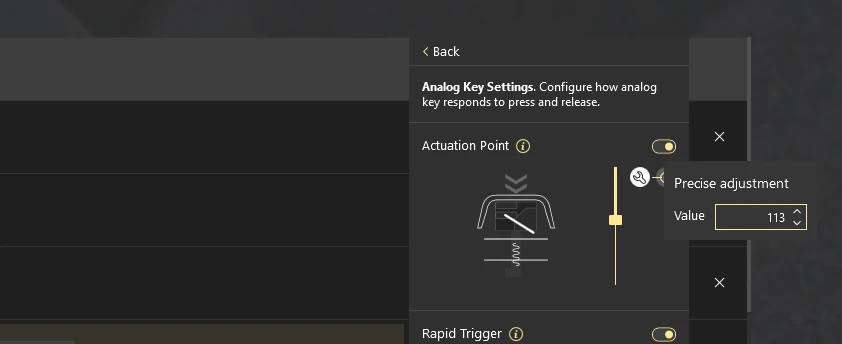
The Actuation Point determines how far a key must be pressed before it becomes active.
This feature defines a range near the top of the key travel that will be ignored. This helps prevent accidental inputs caused by slight touches.
Adjusting these values allows you to make keys more sensitive or require a firmer press before activation.
Rapid Trigger
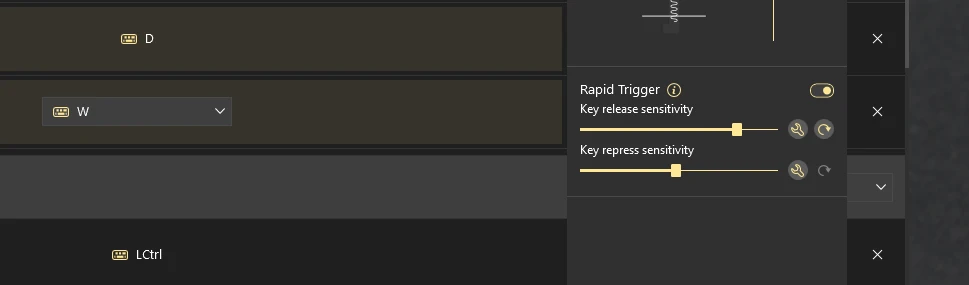
Rapid Trigger changes how quickly a key can be pressed again after being released.
Instead of waiting for the key to return to a fixed position, reWASD can deactivate the key as soon as it starts moving upward. This allows for faster repeated presses and more responsive input.
You can customize Rapid Trigger sensitivity to match your preferences.
Multiple actions based on press depth
One of the main advantages of Analog Key Control is the ability to assign different actions to different press depths.
For example:
- A light press can activate one action
- A medium press can activate another action
- A full press can trigger a third action
This allows a single physical key to perform multiple functions depending on how far it is pressed.
Supported analog keyboards
Analog keyboards can handle input differently, so reWASD does not automatically support every analog keyboard on the market.
For reWASD 9.5, Analog Key Control has been tested and optimized for the following devices:
- Wooting 80HE
- Wooting Two HE
- Razer Huntsman V3 Pro 8KHz
- Razer Huntsman V3 Pro Mini
- Razer Huntsman V2 Analog
The keyboards listed above are the devices we have personally tested and can officially confirm as supported.
However, this does not necessarily mean that Analog Key Control will only work with these models. Due to the wide variety of analog keyboards available, we have not yet had an opportunity to test every device on the market. Depending on how a keyboard exposes its analog input data, the feature may also work with other analog keyboards that are not currently included in the tested-device list.
We will continue testing additional devices and expanding the list of officially supported keyboards in future updates.
For Razer keyboards: Razer Synapse must be installed and running for reWASD to access analog key data in Analog Mode.