Send Input
Send Input is a new Advanced feature introduced in reWASD 9.3.
The feature is available as part of the Lifetime Access plan and is not supported by Legacy licenses, although it can be tested during the 3-day trial period.
To use Send Input, reWASD creates a dedicated Send Input device (keyboard), which becomes available in the Devices section. Through this device, reWASD can interact with system-level SendInput APIs and process input coming from input sources that were previously outside of reWASD’s scope.
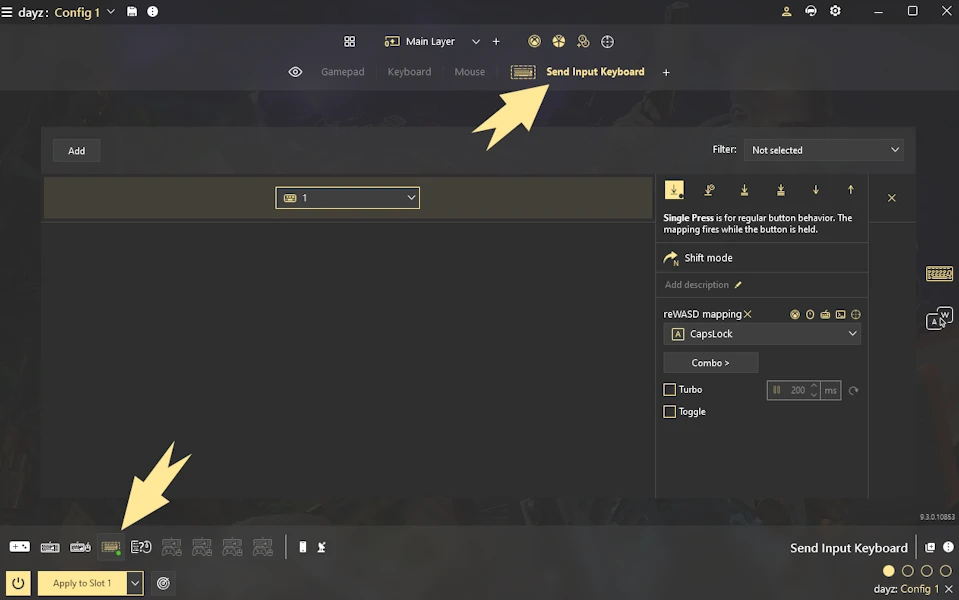
Basically, Send Input allows you to remap input generated by on-screen keyboards by assigning actions directly to the keys of the Send Input device. Please note that these controls do not react to physical keyboard presses - they are intended specifically for virtual one.
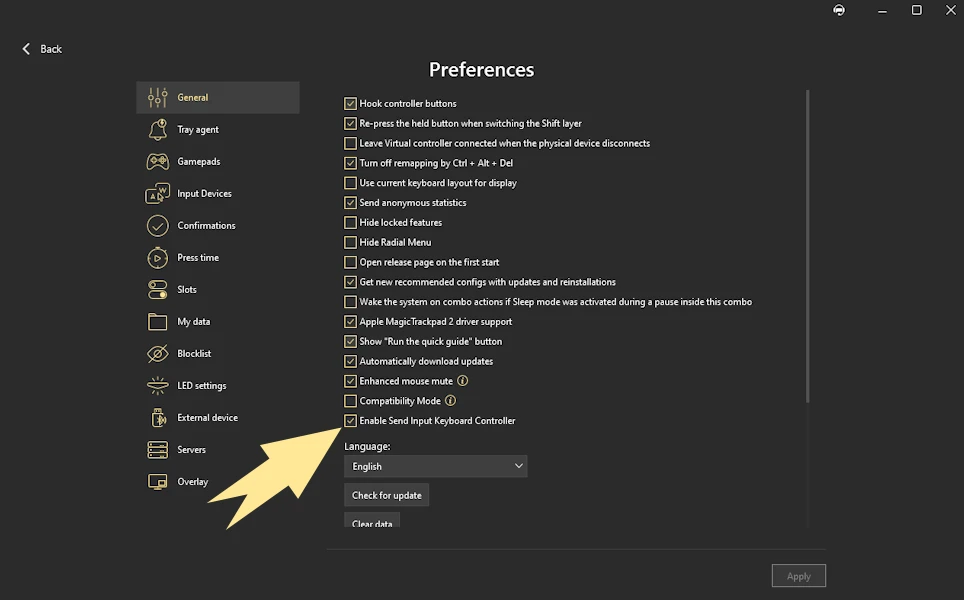
If you don’t plan to use this feature, you can disable it in Preferences to keep the interface clean.
Important notes and limitations
Please note that Send Input does not mute the original input source.
This means that when you remap, for example, an on-screen keyboard key using Send Input, the original input is still routed through the system. In simple terms, this may result in double input.
Because of this behavior, Send Input is best used with inputs that are not expected to produce native system actions on their own, or in setups where the original input does not interfere with the mapped result.
Another important detail is timing. A small pause between Key Down and Key Up events is required for stable detection. Send Input processes incoming events by building a temporary map of active inputs before passing them further, and overly fast or overlapping events may lead to inconsistent behavior.
These limitations are expected at the current stage. Send Input should be considered an advanced and experimental feature, primarily intended for power users and accessibility scenarios. It serves as an important foundational step toward broader support for adaptive and virtual input workflows in future updates.